Enabling 2FA on your customer account HA

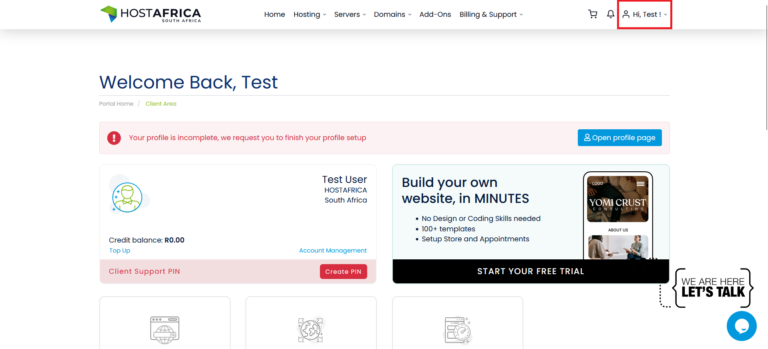
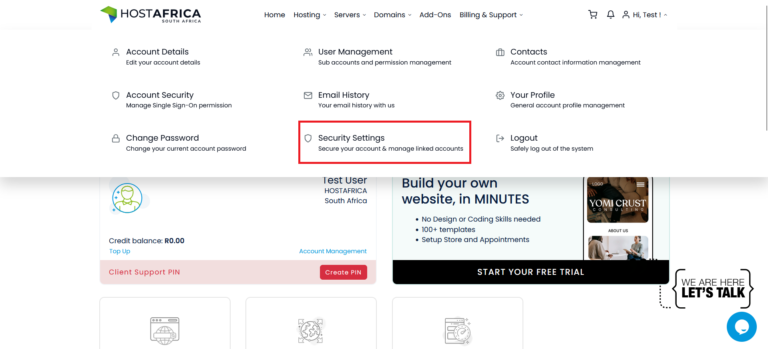
Step 1: Login to your account and select the Profile dropdown, then Security Settings
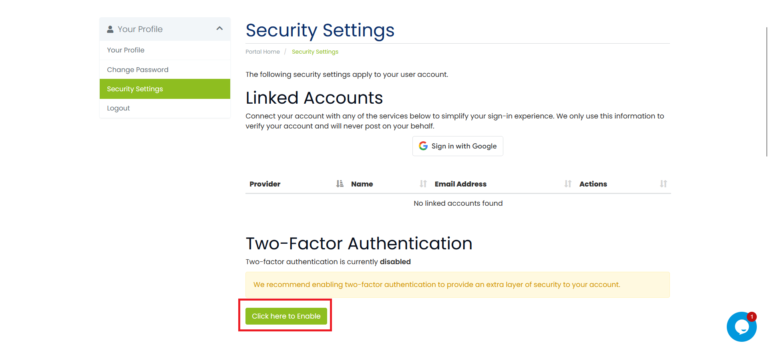
Step 2: Select “Click here to enable”
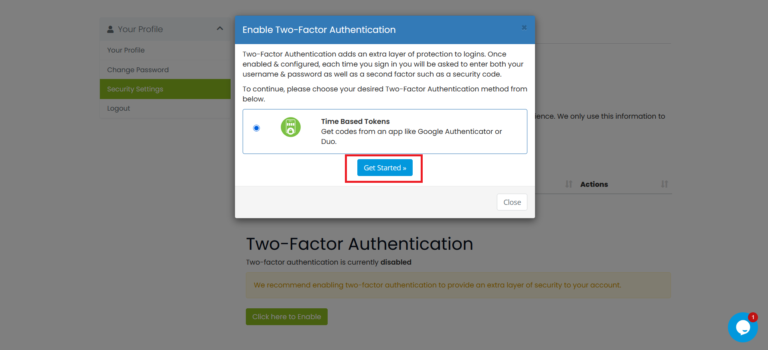
Step 3: Select “Get started”
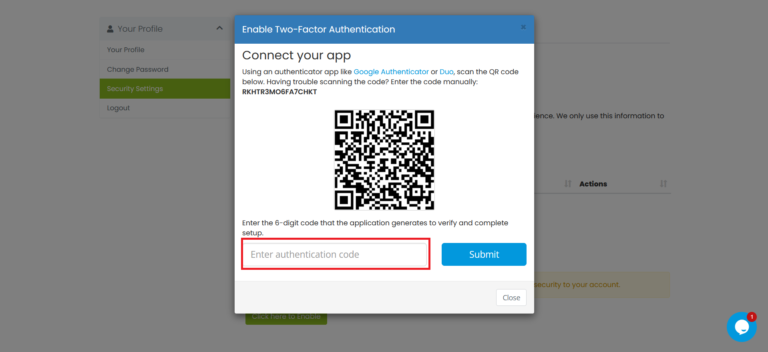
Step 4: Download Google Authenticator or Microsoft Duo onto your cellular device, scan the QR code and then enter the authentication code provided
Step 5: Record the Backup Code somewhere safe in case you lose access to your 2FA device
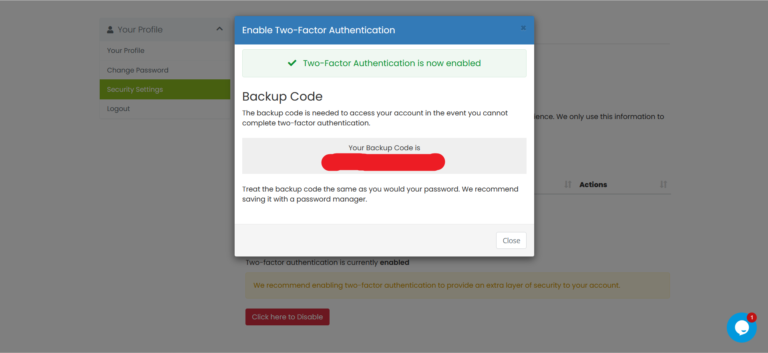
Once 2FA has been setup, you will be requested to enter the code when logging in.
📱 Download from the App Store (iOS)
🤖 Download from the Play Store (Android)

Ashwin S.
The Author
Ashwin is a content specialist at HOSTAFRICA, where he's been crafting clear, authoritative copy since 2021. With a background in digital marketing and a passion for impactful storytelling, he turns complex ideas into trustworthy, engaging content. Ashwin writing helps our audience navigate web hosting and cloud solutions with confidence.
Related posts



Need Assistance?
Our local Ghanaian support team
is ready to help.