How to Install WordPress on cPanel: A Beginner-Friendly Guide

Installing WordPress for the first time might seem overwhelming, especially if you’re new to website building. But don’t worry—this beginner-friendly tutorial will guide you through the entire process using cPanel, one of the most common hosting control panels used in Ghana and worldwide.
With easy-to-follow, step-by-step instructions and no technical skills required, you’ll learn how to install WordPress using the WordPress Manager by Softaculous. By the end of this guide, you’ll have your own fully functional WordPress website—ready for customization, content, and growth. Let’s dive in and get your site online!
Step1. Login to CPanel
First thing you need to do is to login to cPanel.
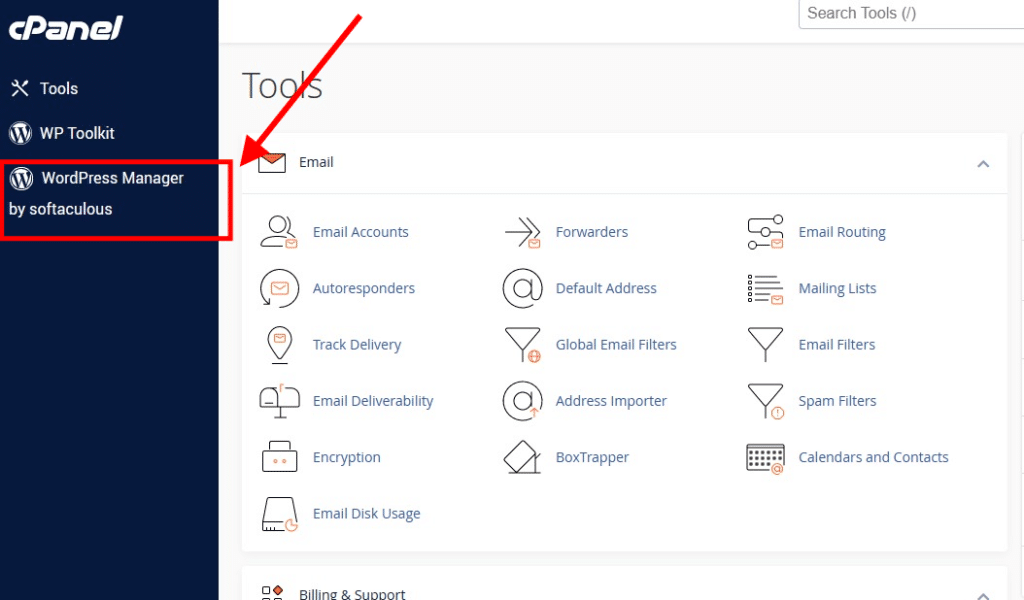
Once you are logged into the cPanel area, if you’re on desktop check the left-hand side of your cPanel dashboard and you’ll see two options, WordPress Toolkit and WordPress Manager by softaculous.
You can also find this by scrolling down to the software section of the cPanel, Click on the WordPress Manager by softaculous.
Step 2: Installing WordPress Using WordPress Manager by softaculous
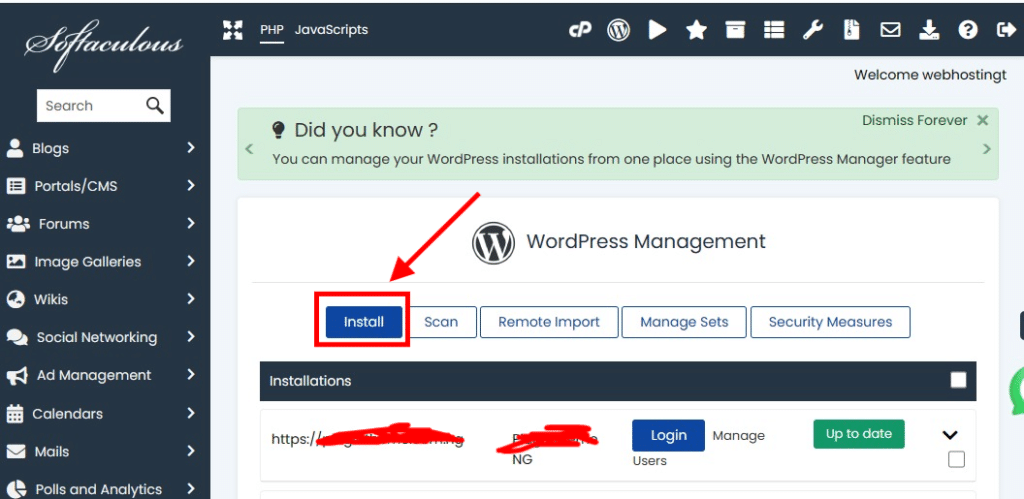
Once in the WordPress management page you’ll be presented with many options like install, scan, remote import, manage sets, and security measures. Just click on install.
Step 3: Final installation process, creating admin username, password.
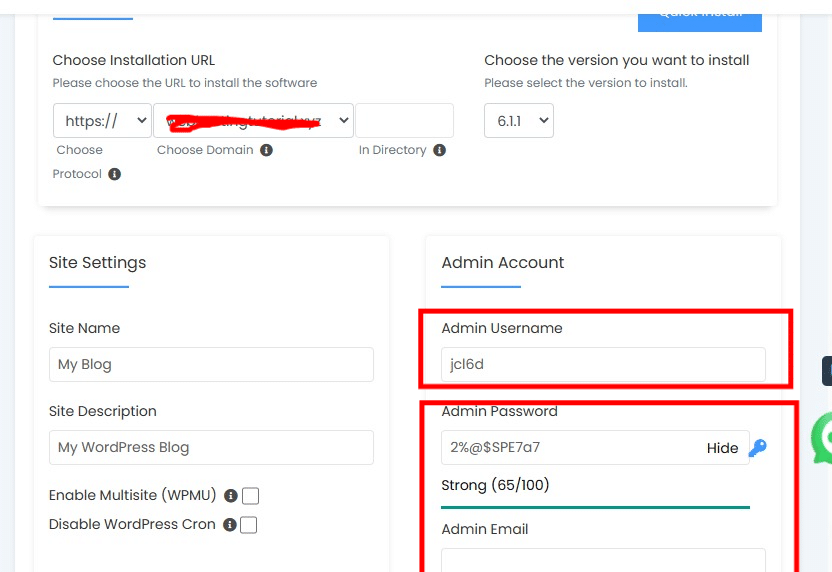
Now from this page you’ll be presented with options to choose your domain name, admin username and password, admin email address, blog title and description.
Now fill in your admin username and the password, make sure you use a strong and hard to guest password, you can use the password generator to generate a strong pasword.
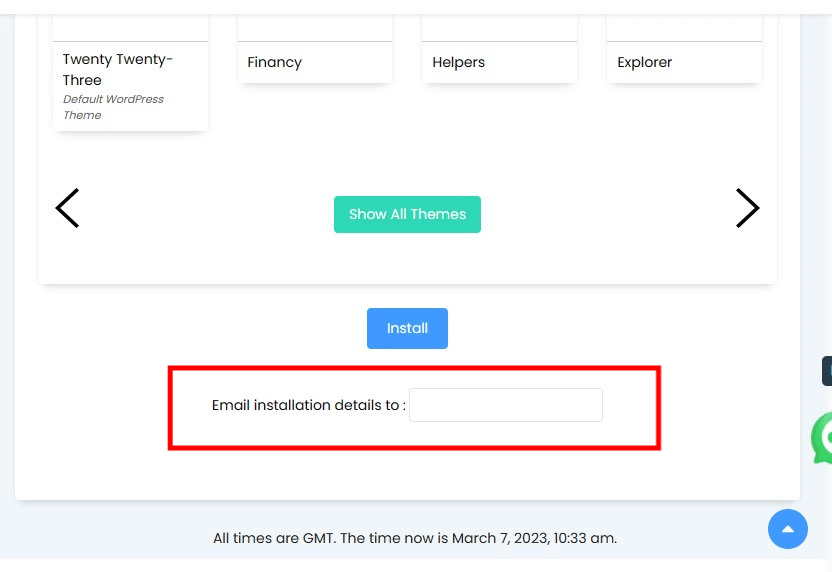
Take your time to fil each of the available fields and scroll down to the bottom of the page, if you wish to send a copy of the installation details to your email, you’ll see a box Email installation details to, fill it and click on install.
Wait for a few seconds and the installation should be complete.

Ashwin S.
The Author
Ashwin is a content specialist at HOSTAFRICA, where he's been crafting clear, authoritative copy since 2021. With a background in digital marketing and a passion for impactful storytelling, he turns complex ideas into trustworthy, engaging content. Ashwin writing helps our audience navigate web hosting and cloud solutions with confidence.
Related posts



Need Assistance?
Our local Ghanaian support team
is ready to help.